Mengekspor deskripsi perangkat
Cara Cepat Membuat Dokumentasi Projek dalam Format Cetak
- Ekspor Data Input/Output:
- Buka modul TapHome yang ingin didokumentasikan
- Pilih opsi Export (Ekspor) untuk mengunduh daftar:
- Nama semua input/output
- Deskripsi fungsi masing-masing channel
- Konfigurasi dasar
Peraturan
Cara Mengekspor Deskripsi Perangkat Keras ke File CSV
- Metode 1: Melalui Menu All Devices
- Buka All Devices (Semua Perangkat)
- Klik menu konteks (tiga titik/tombol kanan mouse)
- Pilih Export hardware description (Ekspor deskripsi hardware)
- Metode 2: Melalui Pengaturan Hardware
- Buka Settings → Hardware → TapHome Bus
- Pilih Export hardware description
| Column | Example |
|---|---|
| Module type | CORE20, DO12, … |
| Module revision | 2.0 |
| Module name | DO12 1/3 |
| Serial number | DO12-1234-5678-abcd |
| Terminal | DO8, DO9 |
| Device | Blinds, Push button, … |
| Device type | Air temperature, Floor temperature, … |
| Name | Name of device |
| Zone | Living room |
| Category | Lighting |
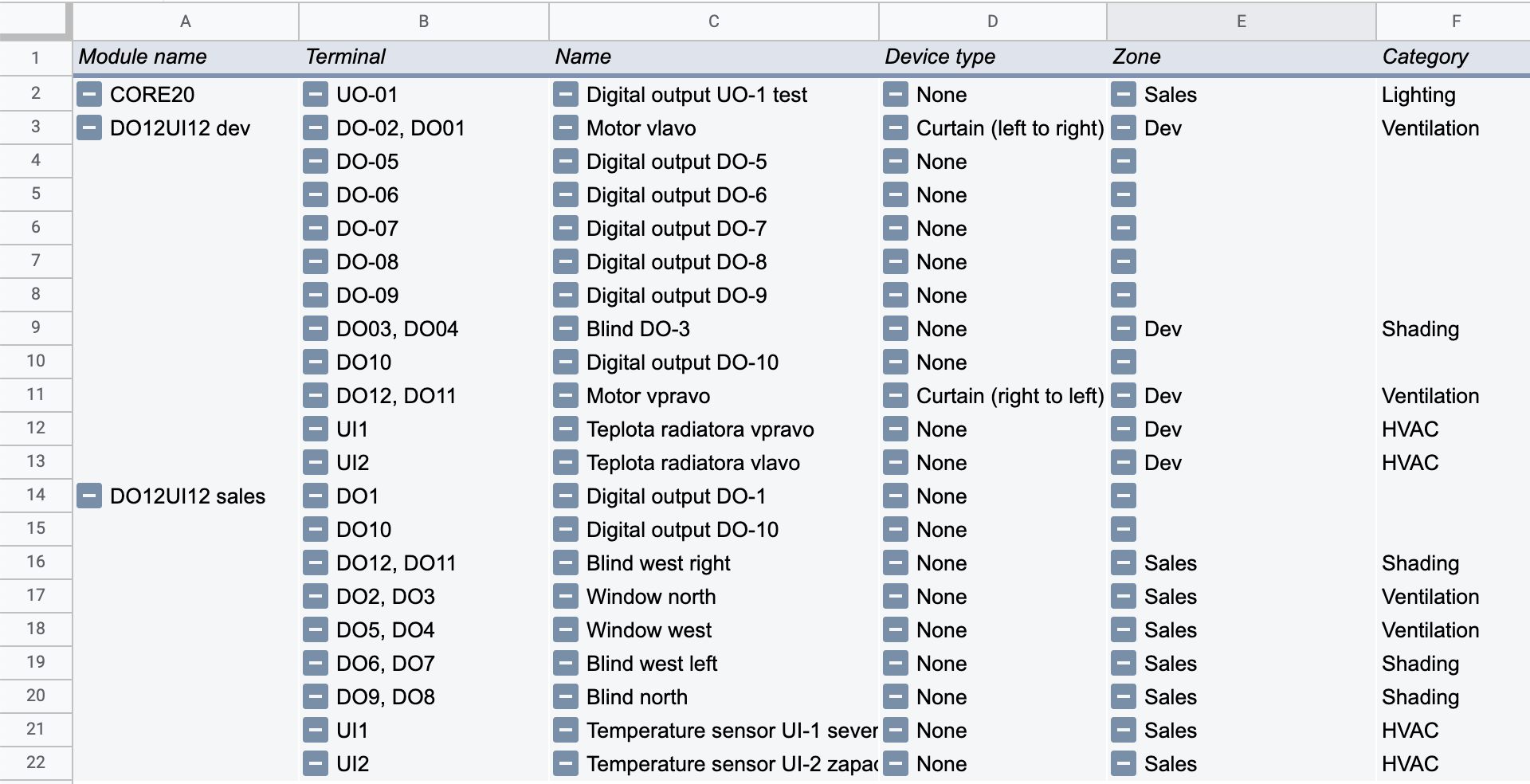
Untuk pemformatan tabel pivot dasar, gunakan template Excel atau Google Spreadsheet, tempelkan nilai CSV ke lembar DATA, dan lihat hasil di lembar Tabel pivot:
Contoh